

Read top to bottom
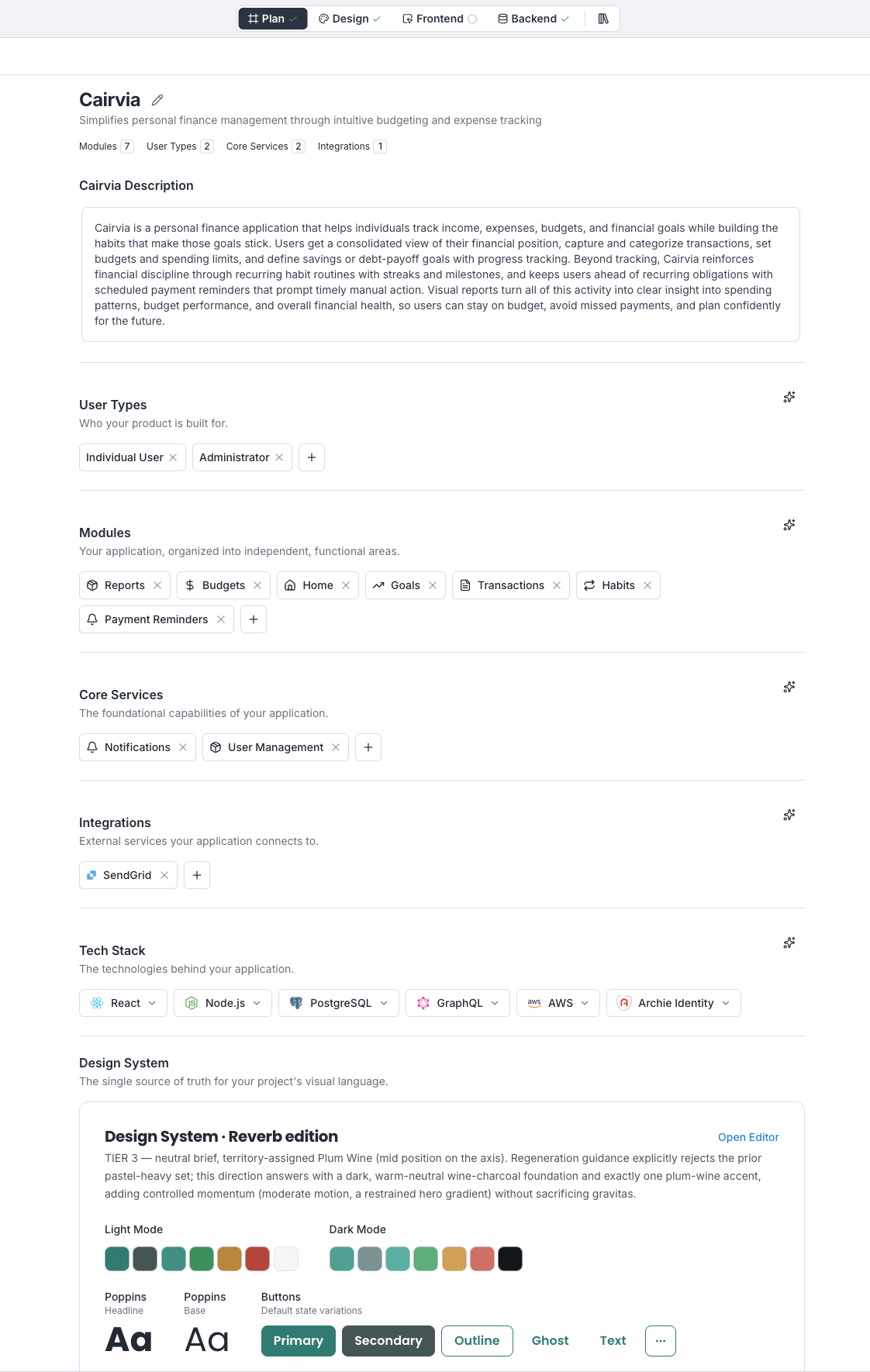
Start at the top of the blueprint page. Each section is a card you can read independently:- Overview — does the one-paragraph summary match what you intended?
- Modules — are the features right? Anything missing or extra?
- User types — does each user type’s description match the role you imagined?
- System services — are the chosen services (auth, storage) the ones you want?
- Integrations — are the third-party services correct?
- Tech stack — are the framework, runtime, and database appropriate?
What to look for
- Missing features. Things you said in your prompt that did not make it into modules. Add them.
- Hallucinated features. Modules Archie added that you did not ask for. Remove them.
- Wrong user types. A “guest” type when your app is internal-only. Edit or remove.
- Wrong integrations. SendGrid when you wanted Resend. Replace.
- Stack mismatches. A Postgres choice when you need a document store. Change.
When to edit vs. iterate vs. regenerate
- Direct edit — small text changes (rename a module, tweak a description) are fastest as direct edits.
- Blueprint chat — multi-step changes (“drop the messaging module and add billing”) are easier in the blueprint chat.
- Regenerate — if a whole section is off the mark, regenerate that section from the section header. Use this sparingly.
FAQ
Should I review every section before building?
Should I review every section before building?
Yes. The build takes the whole blueprint as input, so an unread section becomes guesswork in the output.
How long should review take?
How long should review take?
For a first project, 10–20 minutes. Once you are used to the format, five.
What if I disagree with a section but cannot articulate why?
What if I disagree with a section but cannot articulate why?
Open the blueprint chat and describe what is off. Archie will ask follow-up questions and propose changes.