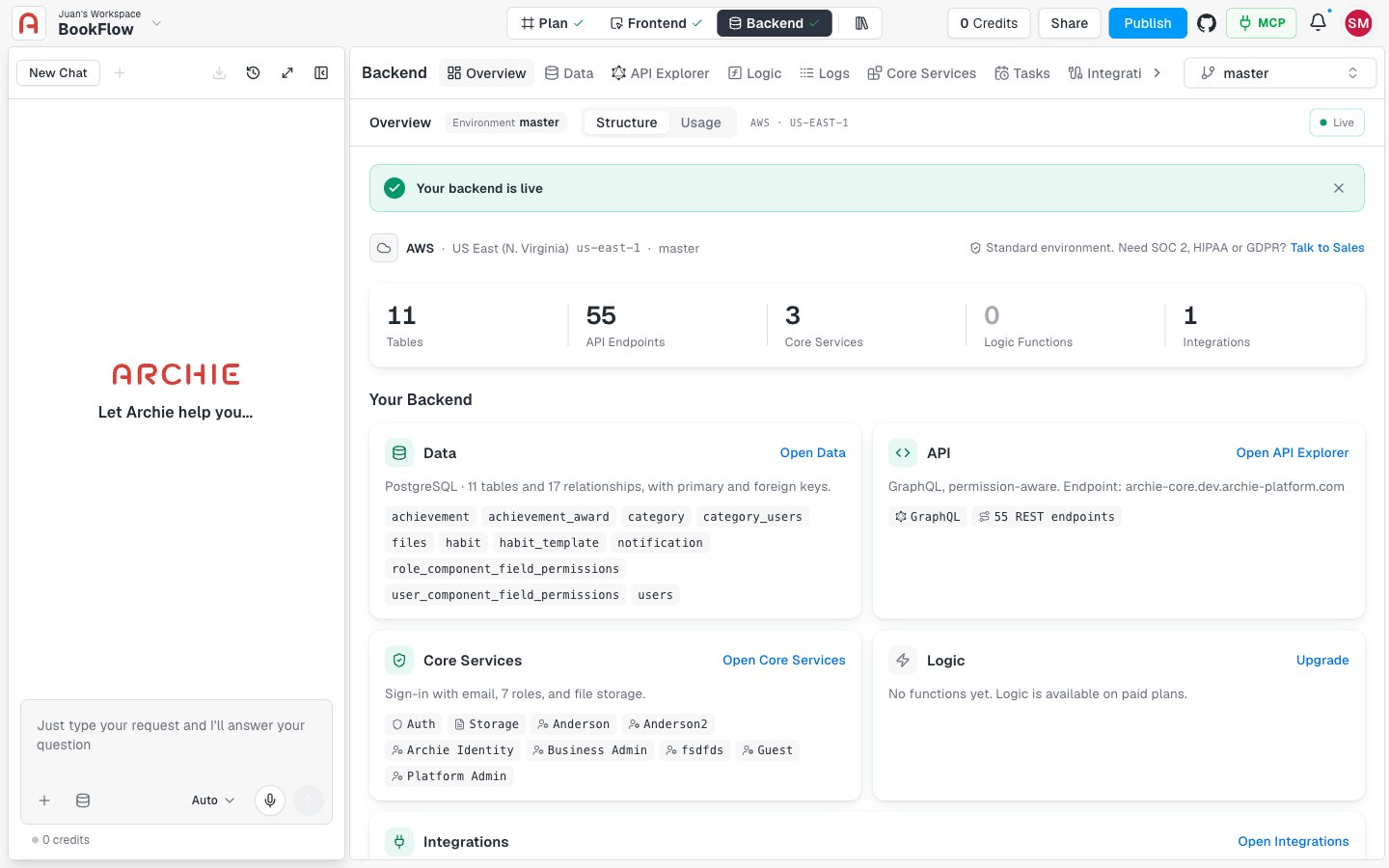
Backend → Overview is now the entry page of the Backend Console. A top bar shows the environment, the Structure and Usage tabs, a Live indicator, and the region.Structure confirms “Your backend is live” and shows the provider, region, and compliance level. It counts your tables, API endpoints, core services, logic functions, and integrations. The Your Backend cards cover Data, API, Core Services, Logic, Integrations, and Backups, each with a shortcut such as Open Data or Open API Explorer.Usage shows Database Rows, Database Size, Bandwidth, Logic Compute, API Requests, Users, File Storage, and Backups for 24 hours, 7 days, 30 days, or all time. Select Refresh to update the numbers. If the backend isn’t generated yet, you see an empty state.Learn more
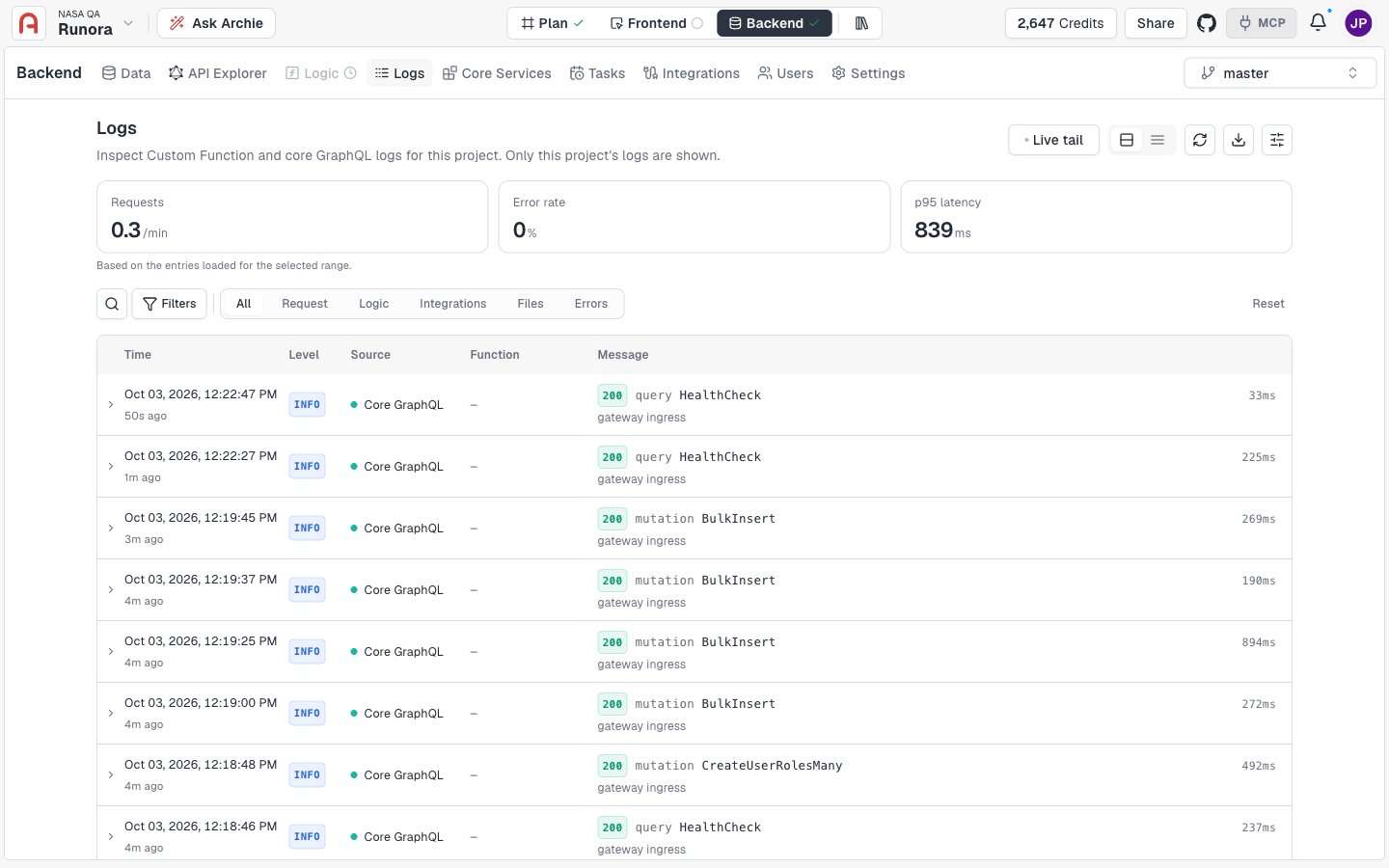
The new Logs viewer shows your project’s Custom Function and Core GraphQL logs. Turn on Live tail to follow new entries as they arrive. Three KPIs track requests per minute, error rate, and p95 latency.Jump to a category with the quick tabs: All, Request, Logic, Integrations, Files, and Errors. Narrow results by level, source, service, and time range. Search suggests terms as you type and offers quick filters for failed operations, mutations, queries, 5xx, and 4xx. Export what you see as JSON or CSV.Learn more
The ERD toolbar is redesigned. Use Detail to show names, keys, or everything. Filter tables, search tables and columns with Cmd/Ctrl+K, switch orientation, fit the diagram to the screen, go full screen, or export an image.The new Domains panel shows or hides whole domains. Hidden domains are left out of the diagram and the export. Select a table to open the Inspector, which lists its columns with primary and foreign key markers, jumps to a referenced table, and shows which tables reference it.The diagram now opens in a vertical layout.On the Data page, if your data model can’t load, you now see an error with Retry instead of a misleading “not generated” message.Learn more
In the Data Viewer, a foreign key cell now has a View referenced record button. It opens a card with the full record from the related table, so you never leave the table you’re working in. Use Copy ID to copy the record’s ID, or View in table to open it in its own table.The preview respects your access. If you don’t have access to the related record, the card tells you.Learn more
Every project card now has a label for the current step: Needs your answers, Plan ready, Backend ready, UX architecture ready, Prototype ready, Frontend ready, Full-stack ready, Generating…, or a failed state. Hover over the label for a short explanation.The card image shows your real design once a prototype or frontend exists. Before that, it shows a sketch that matches the stage. Published projects also carry a Published, Publishing…, or Publish failed label.
The Free plan now includes 100 extra gift credits from Archie. You see them in the Credits from Archie row of the AI credits wallet, which opens from the credits button in the header.Learn more
Account settings → Billing now lists one row per organization. Each row shows your role (Personal, Owner, Admin, or Member), marks your current organization, and shows the plan and today’s usage. Select Open billing to manage an organization you administer.For organizations you don’t administer, you still see the balance you consume and who owns it.Learn more
Custom Functions are coming next. You’ll write your own logic in Node.js, Python, Go, Java, or .NET, starting from a template or by importing your git repo and deploying on every push.The plan includes a built-in code editor, live deployments with history and redeploy of an earlier version, and encrypted environment variables. You’ll expose functions through Custom APIs, set permissions per role for each operation, schedule them with Scheduled Tasks, and read their output in Logs. Custom Functions will be available on paid plans.Learn more