

Cardinality
For more on choosing cardinality and how Archie models many-to-many connections, see Relationships.
Creating a relationship
1
Add a field
On the Schema tab, click + Add Field and pick Relationship from the type dropdown.
2
Open the configuration
Click the configuration icon on the right side of the field row to open the relationship settings.
3
Pick the related table
Choose the target table from the Related Table dropdown.
4
Choose the cardinality
Pick One-to-One or One-to-Many based on how the two tables relate.
5
Mark mandatory if required
Turn on Mandatory if every record must have a related record. Leave it off to allow the link to be empty.
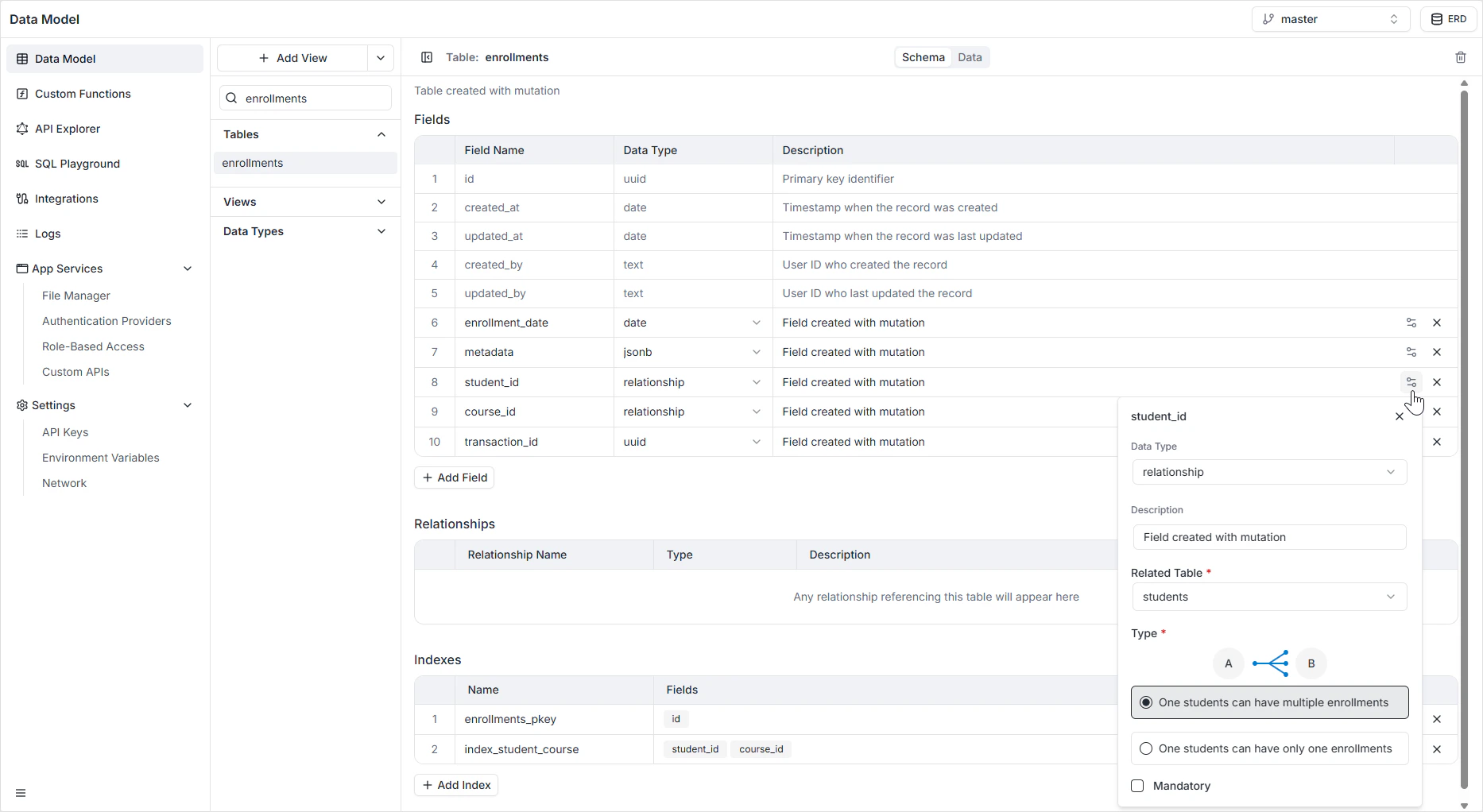
When you create a relationship, Archie automatically adds the inverse field on the related table — for example, adding
author on books also exposes books as a nested field on author. You don’t need to set it up on both sides.How it appears in the API
The relationship is exposed in GraphQL as a nested field. Given anAuthor with a one-to-many books relationship, you can fetch both in one query:
Permissions
A relationship field is governed by the read and write permissions on both tables. A user has to be able to read a related table for it to appear in the nested query. Configure this in Role-Based Access.FAQ
How do I model many-to-many?
How do I model many-to-many?
Create a join table with one-to-many relationships pointing to each side. For example, a
students_courses join table linking students and courses gives you the many-to-many. See Relationships for the full pattern.What happens if I delete a record that other records reference?
What happens if I delete a record that other records reference?
The default behavior is to prevent the deletion when there are referencing rows. See Relationships for cascade and nullify options.
Do I need to add a UUID field for the foreign key separately?
Do I need to add a UUID field for the foreign key separately?
No. The relationship field is itself the foreign key — it stores the reference to the related table’s primary key.
Can I rename a relationship after creating it?
Can I rename a relationship after creating it?
Yes. Rename the field on the Schema tab. The GraphQL nested field name updates immediately; any client code that uses the old name will need to be updated.