

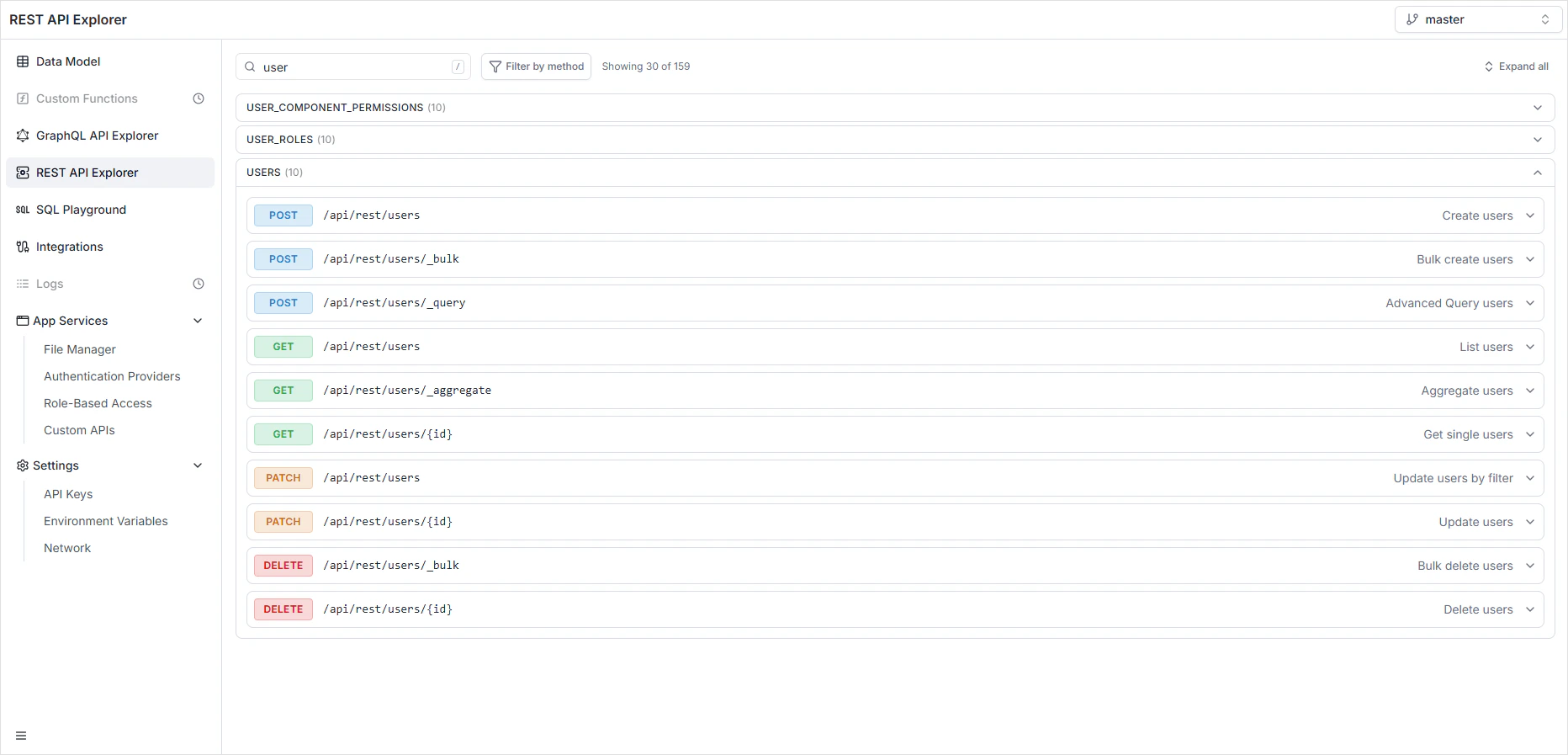
What’s in the Explorer
- Endpoint list — every generated endpoint, grouped by table.
- Schema panels — request and response schemas, including the constraints from your Data Model.
- Try it now — fire a real request from the browser and inspect the live response.
- OpenAPI link — fetch the auto-generated OpenAPI 3.1 spec for code generation and external tooling.
Base URL and resources
/<tableName>. For example:
Required headers
X-Project-ID can also be sent as a query parameter (?project_id=...). The environment header also accepts the alias x-environment.
Authentication
The REST API accepts two token formats — both go in theAuthorization: Bearer ... header:
- JWT access token — issued by an authentication provider configured in App Services → Authentication Providers. Use this for end-user sessions in your client app.
- API key — issued from Settings → API Keys, scoped per environment. Use these for server-to-server integrations and CI tooling.
dev cannot read master. When using an environment-scoped key, set the environment header to match.
Per-environment endpoints
The base URL and the API key set are per-environment. To target a non-default environment, send theenvironment header:
master. See Environments.
Content types
The Prefer header
Prefer controls response shape and counting behavior:
Rate limiting
REST requests are rate-limited per project. When the limit is exceeded, the API responds429 Too Many Requests with rate-limit headers — see Error handling.
CORS
CORS policy is per-project, configured under Settings → Network. The REST API and GraphQL API share the same allowed origins.Permissions
Every endpoint enforces the per-role permissions defined in Role-Based Access. A user without read access to a field doesn’t see it in responses; a user without write access to a table receives403 Forbidden on writes.
Where to go next
Queries
Read records — single, list, filtered, paginated, sorted, aggregated.
Mutations
Create, update, and delete — including bulk and update-by-filter.
Error handling
The Problem Details error format and what each status means.
File management
Upload, list, download, and delete files.
Idempotency
Retry POSTs safely with
Idempotency-Key.OpenAPI specification
The auto-generated spec and code-gen workflow.
Webhooks
Subscribe to data changes and deliver them to your services.
FAQ
REST or GraphQL — which should I use?
REST or GraphQL — which should I use?
Both expose the same data, the same permissions, and the same auth model. REST is best for tools that don’t speak GraphQL, server-to-server integrations, and idempotent writes. GraphQL is best for nested reads, real-time subscriptions, and clients that want to fetch exactly what they need. See GraphQL API Explorer.
Why am I getting `400 Missing X-Project-ID`?
Why am I getting `400 Missing X-Project-ID`?
Either include the
X-Project-ID header on every request, or send it as a query parameter (?project_id=...). The Explorer fills it in automatically — outside the Explorer you have to provide it.Are the REST endpoints versioned?
Are the REST endpoints versioned?
The endpoint shapes are stable per project. Schema changes (new tables, new fields) update the endpoints in real time and are reflected in the OpenAPI spec. Breaking changes to existing fields require explicit Data Model edits.
Can I generate a typed client from the API?
Can I generate a typed client from the API?
Yes. The OpenAPI specification is auto-generated and can be fed into tools like
openapi-generator or openapi-typescript to produce a typed SDK in any language.Where do I configure CORS for my frontend?
Where do I configure CORS for my frontend?
Under Settings → Network. The same allowed-origins list applies to the REST and GraphQL APIs.