

Connect a repository
Go to Backend → Logic, click New service, select From a Code Repository, and click Continue. In the empty state, you can click Import from Git instead. The dialog is titled From a Code Repository.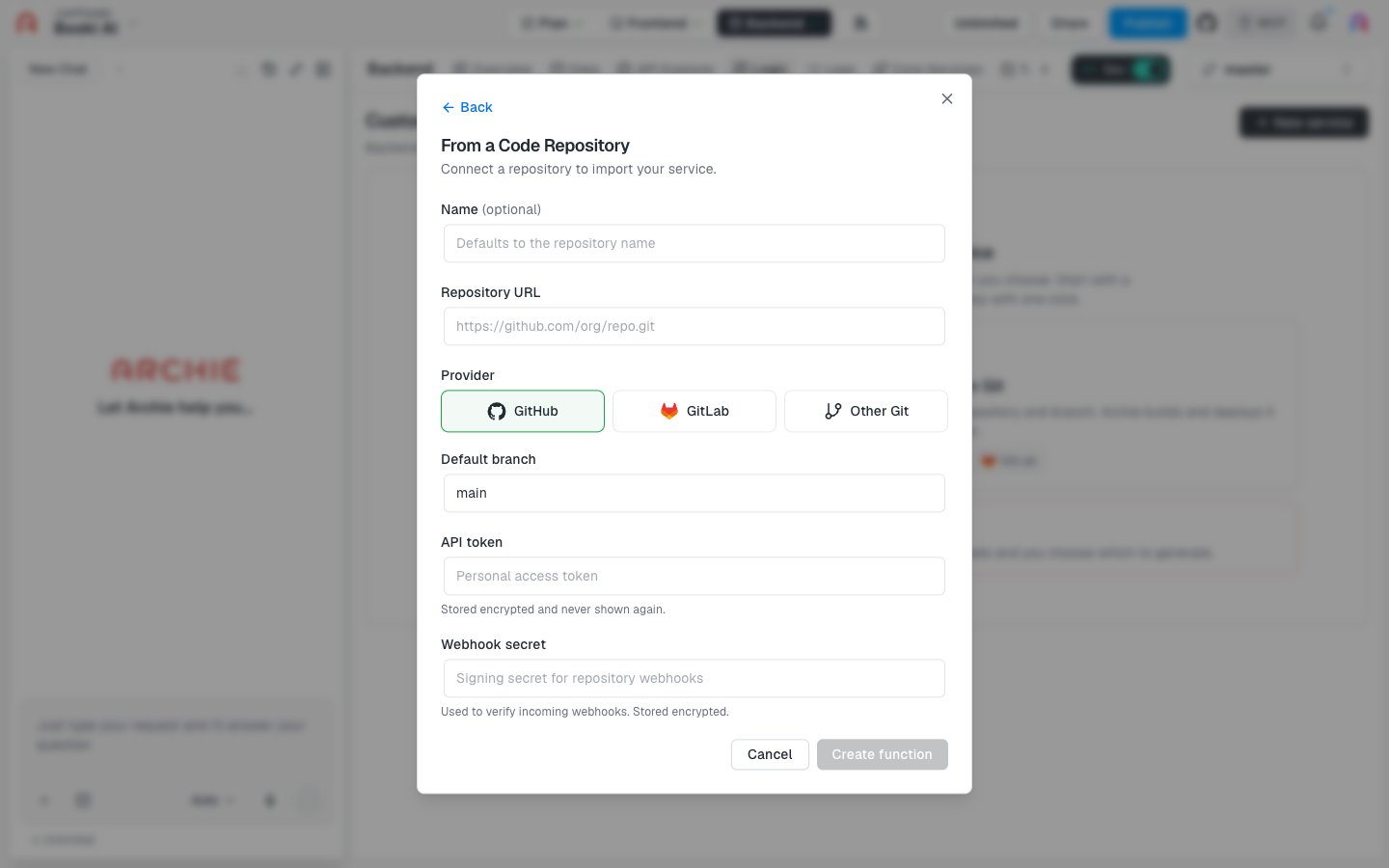
Click Create function to connect the repository. The button stays disabled until the required fields are filled in.
After you create the service
Open the service to follow its deployments. Each push to the connected branch builds a new deploy. You can also read and edit the code in the Code tab and set environment variables.FAQ
Which git hosts can I use?
Which git hosts can I use?
GitHub and GitLab have their own options. Choose Other Git for any other git host.
When does the service deploy?
When does the service deploy?
On every push, as described in the dialog: “Connect your own git repository. It deploys on every push.”