

Submitting an idea
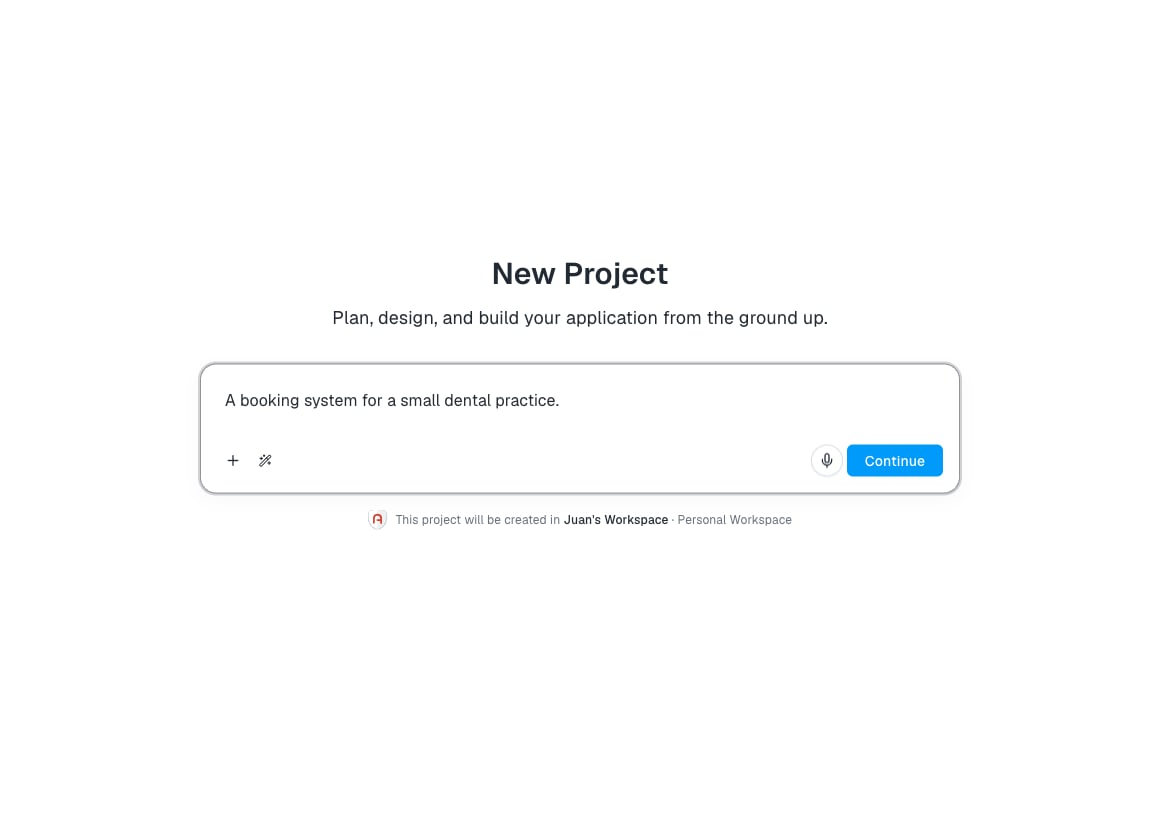
From New project, type your idea in the input. There is no prompt template, no required structure, no character minimum. Archie infers what is missing. Examples that work:- “A booking system for a small dental practice.”
- “A course platform where teachers upload lessons and students pay per course. Stripe for payments. Email notifications when a new lesson is published.”
- A few paragraphs describing your app in detail.
Improving your prompt
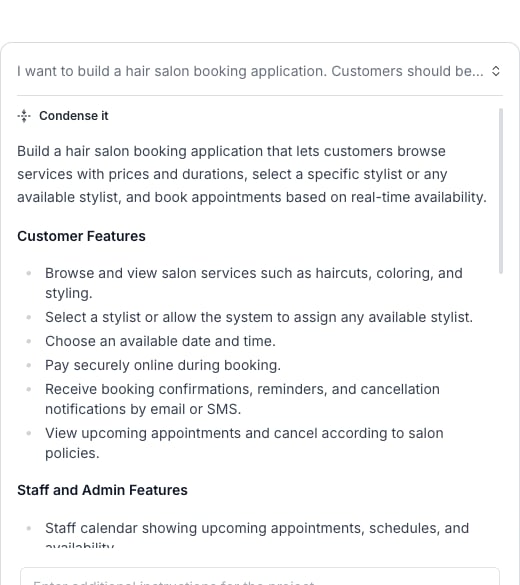
Before you submit, use the AI Assistant to refine what you typed. Click the wand icon next to the input to open Improve, Expand, and Condense.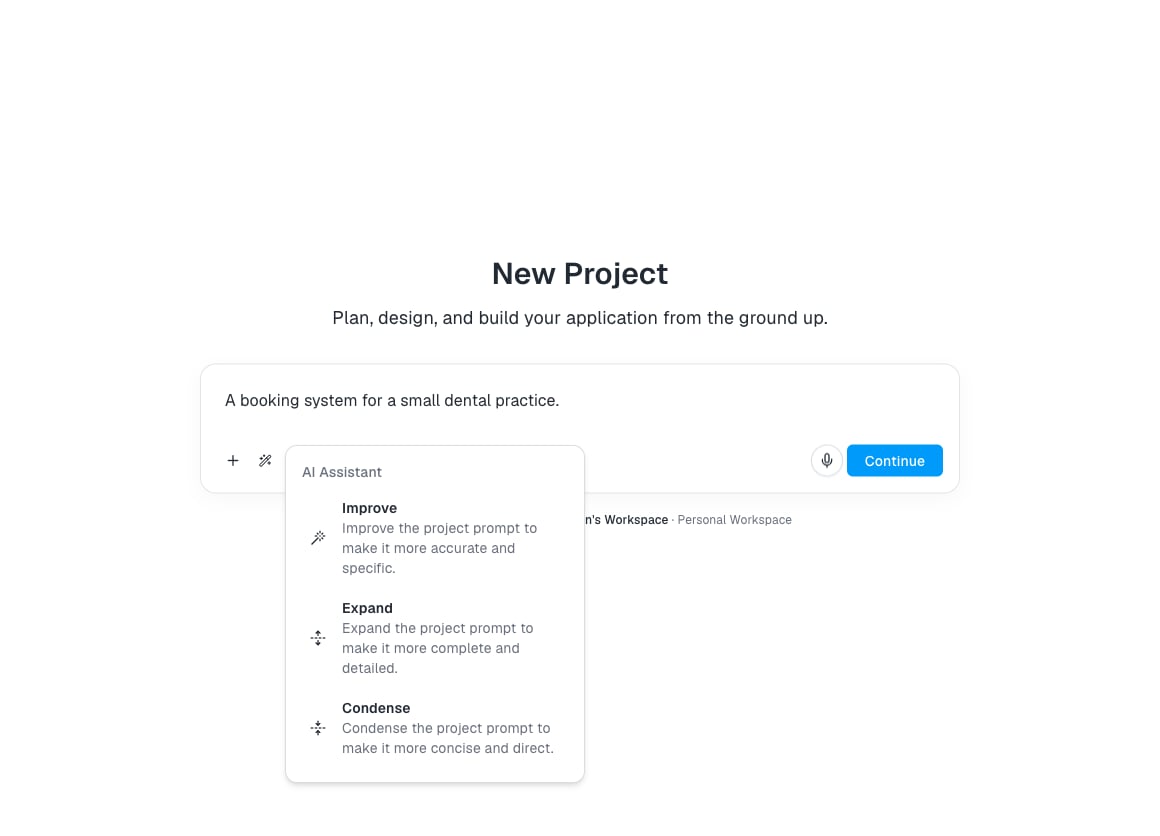
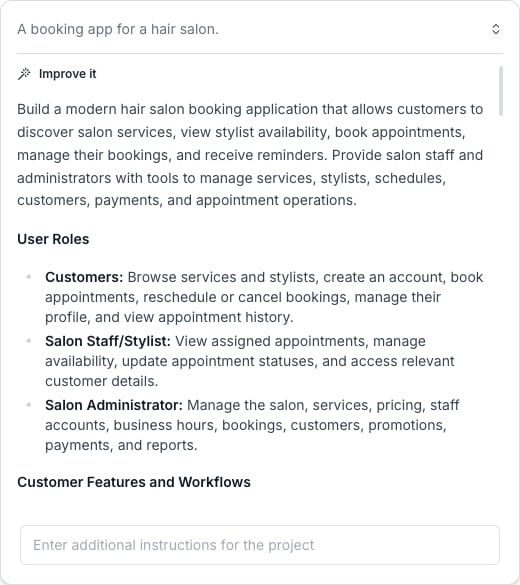
- Improve — Rewrites your prompt to be more accurate and specific.
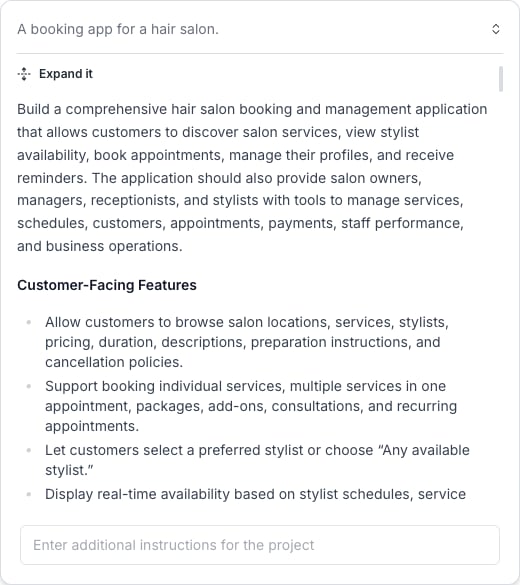
- Expand — Adds detail: user roles, features, screens, and data models inferred from your idea.
- Condense — Tightens a long or detailed prompt into a more direct version while keeping the key requirements.
Answering clarifying questions
Before drafting the plan, Archie may show A few quick questions — a short set of decisions it would otherwise have to guess. Each question explains why it matters and takes one of three forms: single-choice, multi-select, or a short free-text answer.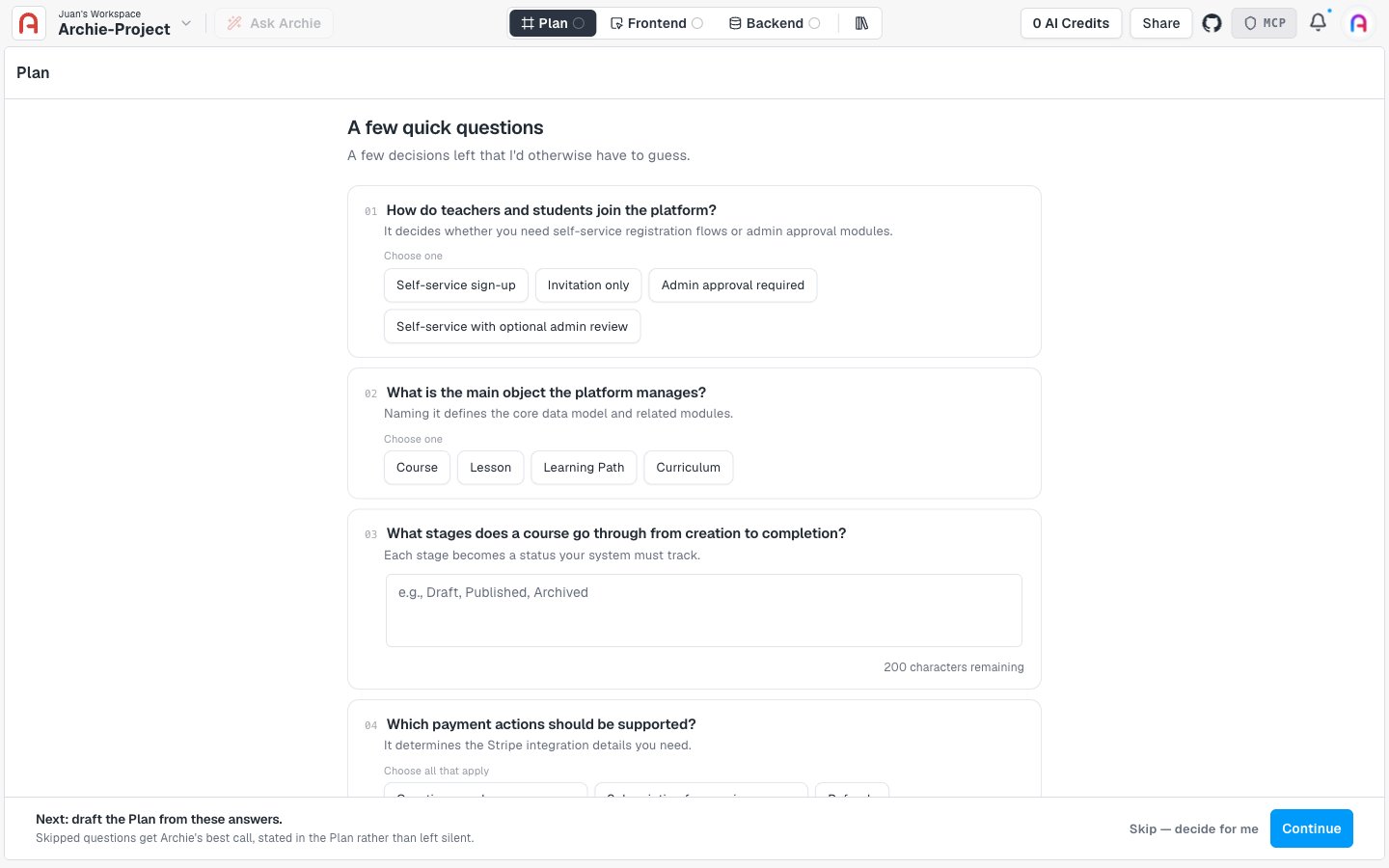
What happens during generation
Generation usually completes in 30–60 seconds. While it runs:- The plan page shows a waiting state with status updates
- The connection reconnects automatically if you close the tab and come back
What you get
The first plan is a starting point, not a final answer. Expect:- Modules that capture the major features in your idea
- User types inferred from the description (admin, customer, and so on)
- System services chosen based on what your app needs (auth, file storage)
- Integrations matched to features in your idea (Stripe if you mentioned payments)
Reviewing clarifying questions later
Once the plan exists, a Clarifying Questions / Plan toggle appears at the top of the plan page. Switch to Clarifying Questions to see the same questions again — each one shows either the answer you picked or an Archie decided badge with the assumption Archie made for a skipped question.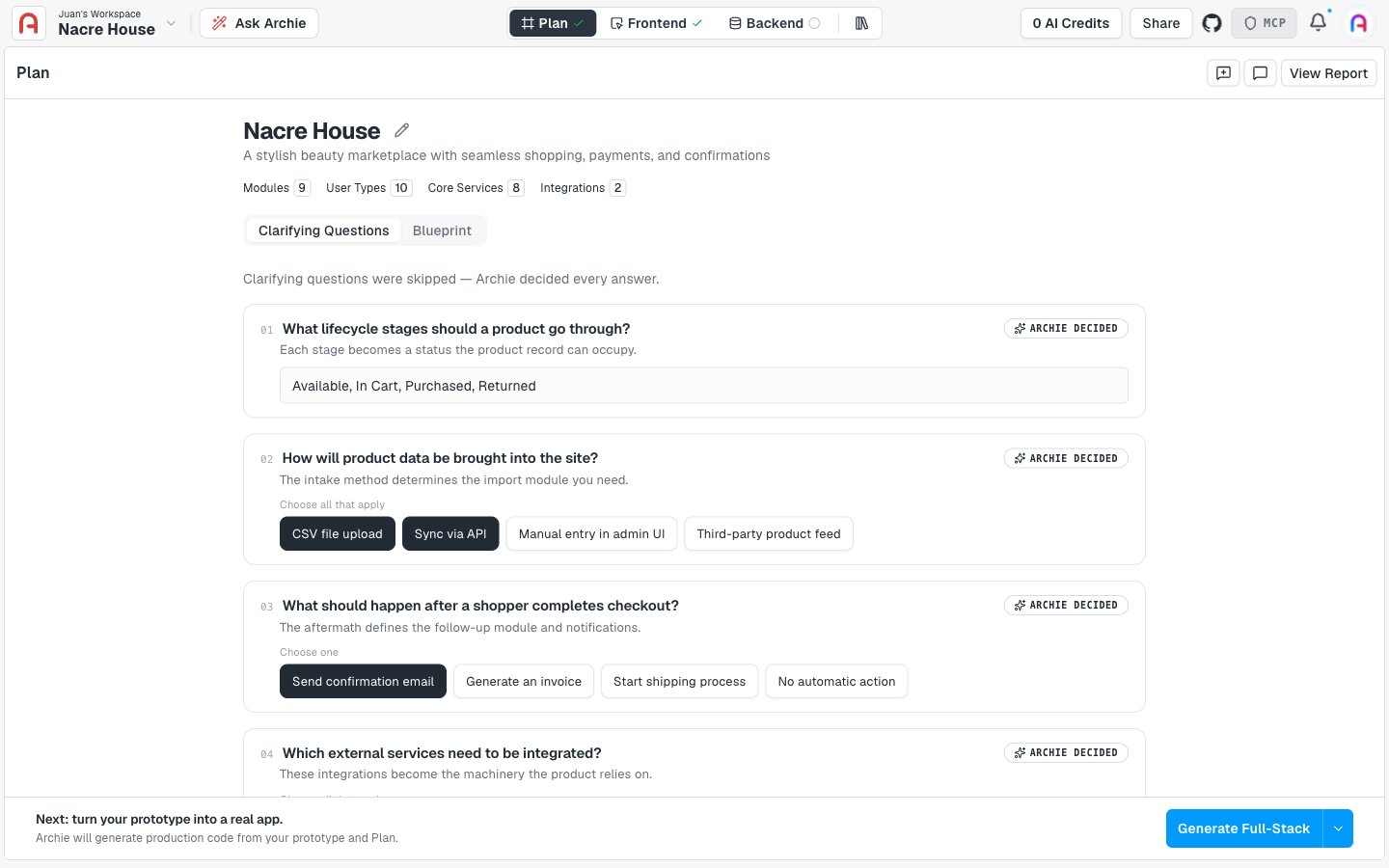
Re-generating
You can regenerate a plan section if it is significantly off. Use the regenerate dropdown in the section header. Regeneration costs credits — usually a small amount per section. For smaller changes, edit directly or use the plan chat.FAQ
What if generation fails?
What if generation fails?
The plan page shows an error and lets you retry. If retries also fail, contact support.
Does generation use credits?
Does generation use credits?
Initial plan generation is included. Regenerating individual sections may use a small number of credits.
Can I import an existing app description?
Can I import an existing app description?
Paste it as your idea. Archie reads structured notes (bulleted lists, headings) the same as flowing prose.
What if I skip all the clarifying questions?
What if I skip all the clarifying questions?
Archie makes its best call on every one and states each assumption in the plan instead of leaving it silent. Review the Clarifying Questions view afterward to see what it decided.