

Turn Global Search on
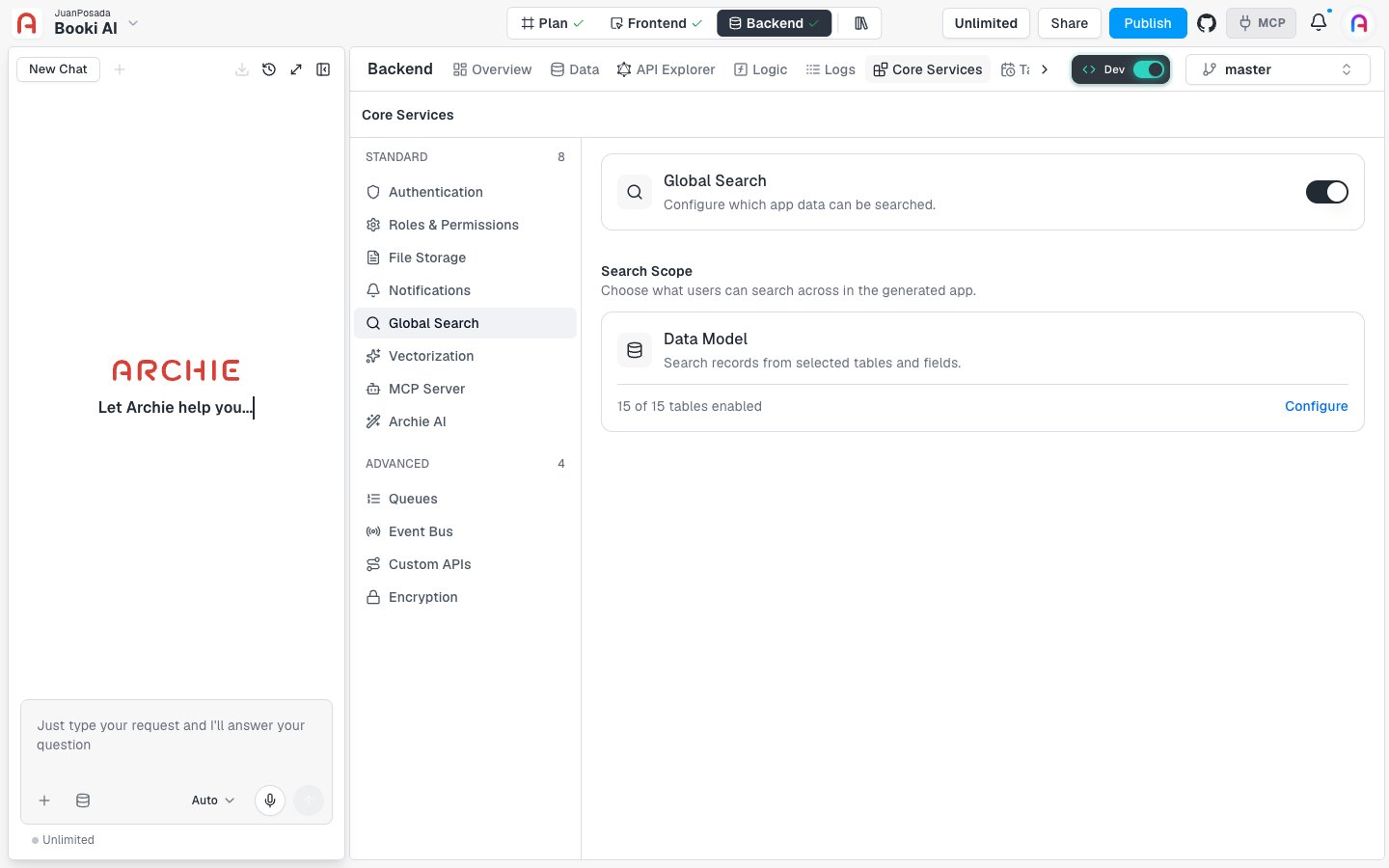
Global Search is off until you activate it, and it’s configured per environment.- Go to Backend → Core Services → Global Search.
- Turn on the switch in the top-right corner of the page header.
Configure the search scope
Click Configure on the Data Model card to open the Configure Search Scope drawer. Use it to choose what users can search.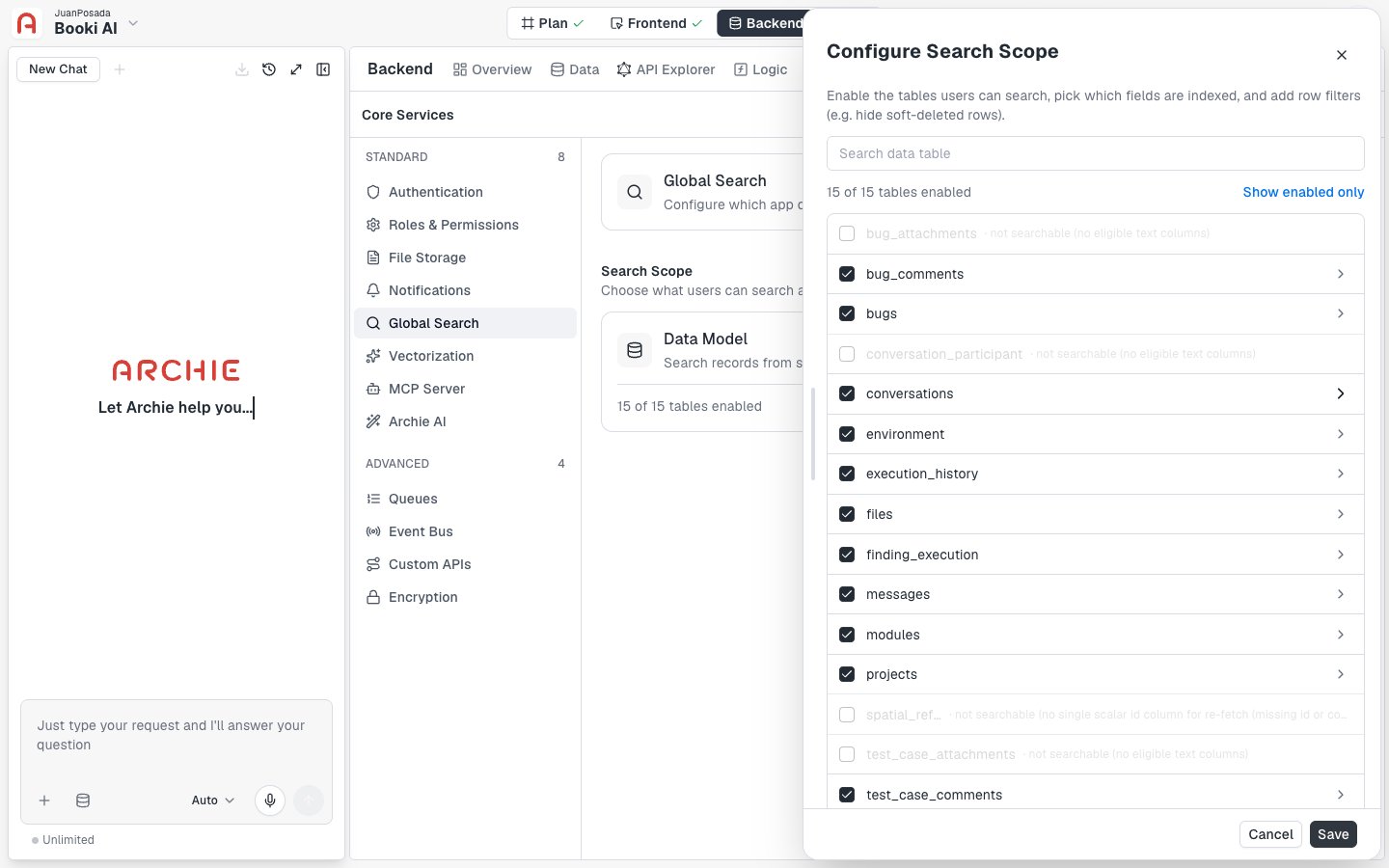
- Search data table filters the list by table name.
- Show enabled only and Show all switch between all tables and only the enabled ones. A counter, such as “15 of 15 tables enabled”, shows how many are on.
- Each table has a checkbox. Clear it to keep that table out of search.
- Some tables show not searchable with a reason, such as “no eligible text columns” or “no single scalar id column for re-fetch”. They can’t be enabled.
Choose fields and row filters
Click a table to expand it.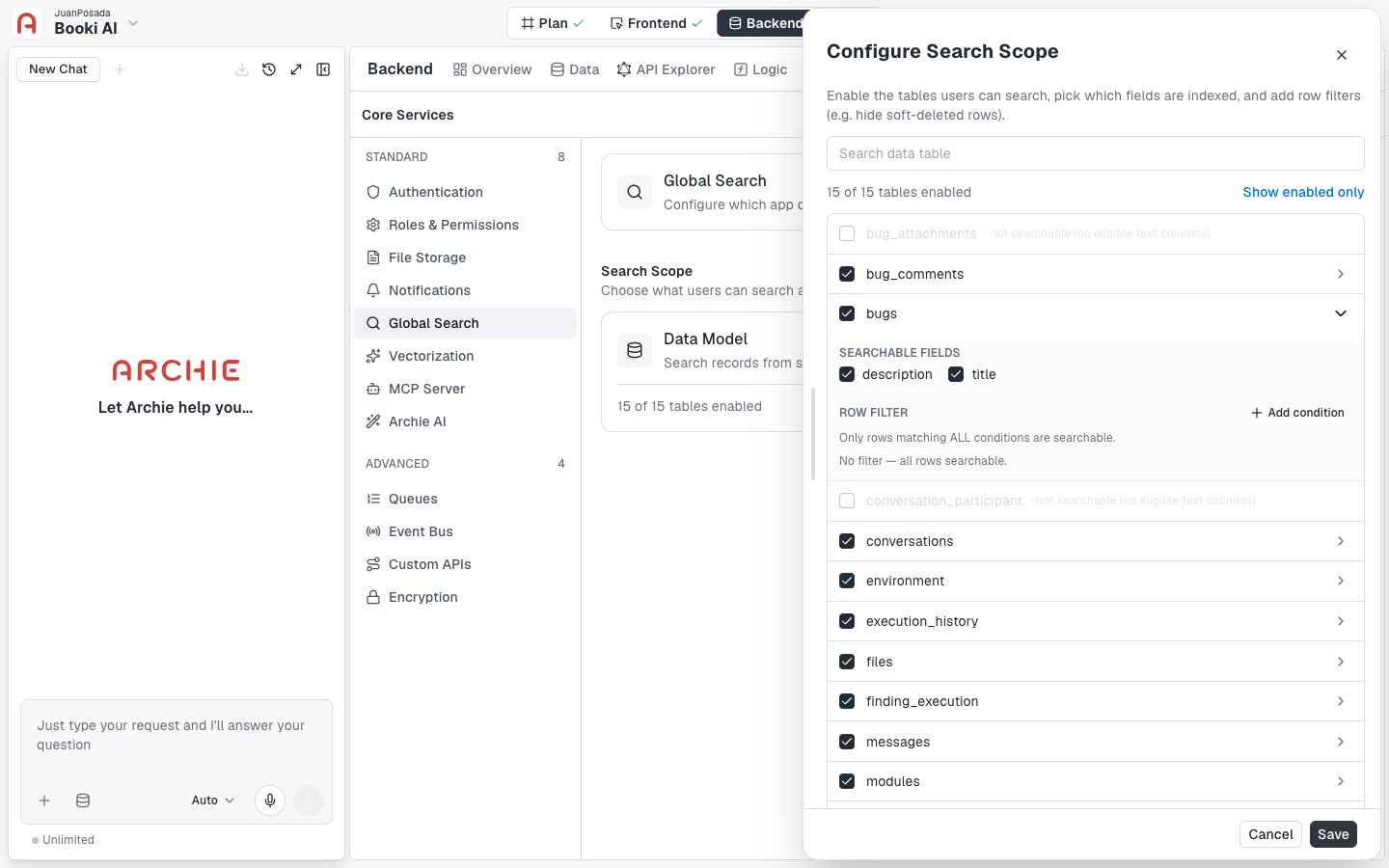
- Searchable fields lists the table’s indexed text fields. Clear a checkbox to exclude a field from search.
- Row filter limits which rows are searchable. Click Add condition, then pick a field, an operator, and a value. Only rows that match all conditions are searchable. For example, use a filter to hide soft-deleted rows. With no conditions, the table shows “No filter — all rows searchable.”
Search from your app
When Global Search is on in an environment, the GraphQL API for that environment exposes asearch query. Pass the search term in the query argument. The query returns results only from the tables and fields enabled in your search scope.
search result contains these fields:
items: the matching records. Each item includes:table: the table the result comes from.id: the ID of the record.rank: the relevance of the result. Higher values are more relevant.fields: the field values of the matching record.
totalCount: the total number of results.
FAQ
Why can't I enable some tables?
Why can't I enable some tables?
Tables with no eligible text columns are marked not searchable. Global Search needs at least one text field to index.
Do my changes apply right away?
Do my changes apply right away?
No. Changes in the drawer apply when you click Save.
What happens when I turn Global Search off?
What happens when I turn Global Search off?
The switch returns to its off state and Configure becomes unavailable again.